
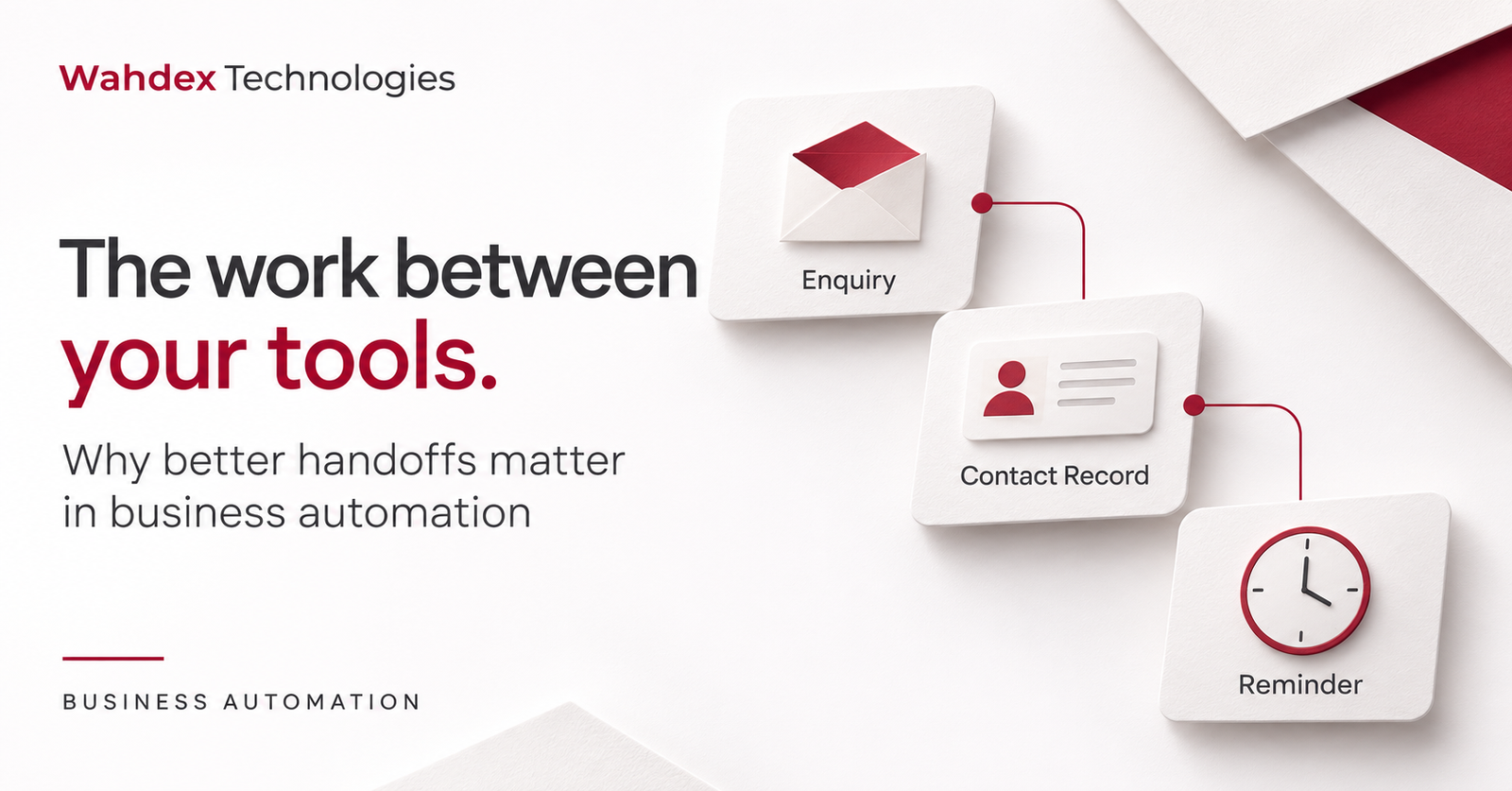
A new customer enquiry should lead to a clear next step. But when enquiries arrive in one tool, customer records live in another and reminders depend on individual calendars, your team has to manage every handoff manually.
Business automation can connect those steps. A practical starting point is an enquiry workflow: capture the request, identify its owner, create the next task and track its progress.
This guide explains how to plan that workflow, where human review belongs and what to check before extending it. The examples are illustrative, rather than results from a customer deployment.
What is business automation?
Business automation uses software to carry out defined steps when an event, schedule or manual action starts a process. For example, a submitted form might trigger a new customer record and a task for the sales team.
Workflow tools can support automated, scheduled and manually initiated flows. [Microsoft’s cloud flow overview](https://learn.microsoft.com/en-us/power-automate/overview-cloud) describes these options. Your implementation depends on the applications involved and their available connections.
Start by defining the work you want to connect. The software choice comes after you understand the process.
Map your current enquiry process
Follow one enquiry from arrival to completion. Write down where its details are stored, who reviews it, how an owner is selected and how the team knows a follow-up is due.
Look for repeated copying, unclear responsibility and reminders that are easy to miss. These are useful candidates for a small pilot.
Agree on an outcome you can check, such as every valid enquiry having an assigned owner and a visible next task. Avoid starting with a vague ambition to automate the entire business.
An enquiry-to-follow-up workflow in six steps
1. Capture the necessary information
Choose one enquiry source initially, such as a website contact form. Agree which fields the team needs: name, contact details, requested service and the customer’s message, for example.
Define how incomplete submissions should be handled. A missing detail should produce a visible review task instead of disappearing silently.
2. Check for an existing record
Decide how to recognise an existing contact and distinguish a repeat request from an accidental duplicate submission.
Keep the original enquiry available. Updating a contact record should not erase the context of an earlier conversation. Where the match is uncertain, send it for review rather than merging automatically.
3. Assign a responsible person
Use clear rules: service requested, team availability or another agreed criterion. Define a fallback owner for requests that do not match a rule.
An assignment should create responsibility the team can see. Simply notifying a shared channel may still leave everyone assuming someone else will respond.
4. Create the next task
Create a task containing the enquiry context and the expected next action. Set its due time according to your actual response process.
For teams across Pakistan, the Gulf, Europe or elsewhere, specify working hours, holiday coverage and time zones. Decide whether the task follows the receiving team’s schedule or another agreed service window.
5. Keep human review where needed
The workflow may prepare a response or gather information, while a team member approves a quotation or confirms a delivery commitment.
Approval steps can be part of the workflow itself. [Microsoft’s approval guidance](https://learn.microsoft.com/en-us/power-automate/modern-approvals) demonstrates how approval decisions can guide what happens next. For your process, decide who approves, what they need to see and what happens if approval remains pending.
6. Update status and handle exceptions
A reminder should stop or change when its purpose is complete. Define what happens when an enquiry is answered, reassigned or closed.
Also decide who receives failure alerts and how to retry a step without creating duplicate records or messages. Keep a record of completed and failed actions so your team can investigate problems.
Where does AI fit?
A rule that assigns enquiries by a selected service may be sufficient on its own. AI could be considered when the input requires interpretation, such as suggesting a category from a free-text message or preparing a summary for review.
If you introduce AI, test it on representative examples, check its output and provide a fallback for uncertain results. Do not let an unverified summary replace the customer’s original request.
Use AI where its contribution can be assessed against a specific task. Adding it to every step makes the workflow harder to evaluate.
What should you test before launch?
Test a normal enquiry, a repeat contact, an incomplete form, an unavailable owner and a failed connection. Check that completed enquiries no longer generate unnecessary reminders.
Confirm that each person can access the information needed for their role, and that the workflow only shares the fields required by the receiving tool.
Begin with a limited pilot and a named owner. Include ongoing connection checks and maintenance in the plan, since the workflow depends on the systems it connects.
How do you measure whether it helps?
Record your starting position before the pilot. Useful measures include manual actions per enquiry, time until assignment, overdue follow-up tasks and the number of failed or duplicate runs.
Compare equivalent periods and consider enquiry volume when interpreting the results. The purpose is to determine whether the workflow improves this process—not to assume a guaranteed sales increase.
Frequently asked questions
Do we need a new CRM?
Not necessarily. First check whether your current system supports the records, tasks and integrations the workflow needs. Replacing it should be a separate decision based on those requirements.
Can all our tools be connected?
That needs verification. Integration options, permissions, subscription plans and application limits can affect what is possible. Confirm these before committing to a design.
How long does implementation take?
There is no reliable universal timeline. A single-source pilot differs from a process involving several applications, approvals and data cleanup. Scope the steps and dependencies before estimating delivery.
Does automation replace customer service?
This workflow supports customer service by organising information and next actions. Your team remains responsible for understanding the request and deciding how to respond.
Plan your first connected workflow
Wahdex Technologies offers business automation, CRM integration and custom software development. To start a conversation, share where enquiries arrive, which tools your team uses and the step that causes the most repeated work.
Visit Wahdex Technologies:(https://wahdextechnologies.com/) to discuss your workflow.